The screen recorder that edits itself.
Record your Mac screen. Auto-zoom, cursor smoothing, motion blur and scenic backgrounds, applied the moment you stop. No timeline wrangling.
It starts in the notch.
Choose what to capture: your full display, a single window, or just an area. Mic, camera and system audio toggle right there.
It zooms in on what matters.
Actra watches your clicks and cursor, then pushes in and pulls back with a single, filmic spring. No keyframes, no guesswork.
- Follows clicks, typing and focus automatically
- One smooth camera, never jumpy or seasick
- Override or add your own zooms anytime
A cursor that moves like it means it.
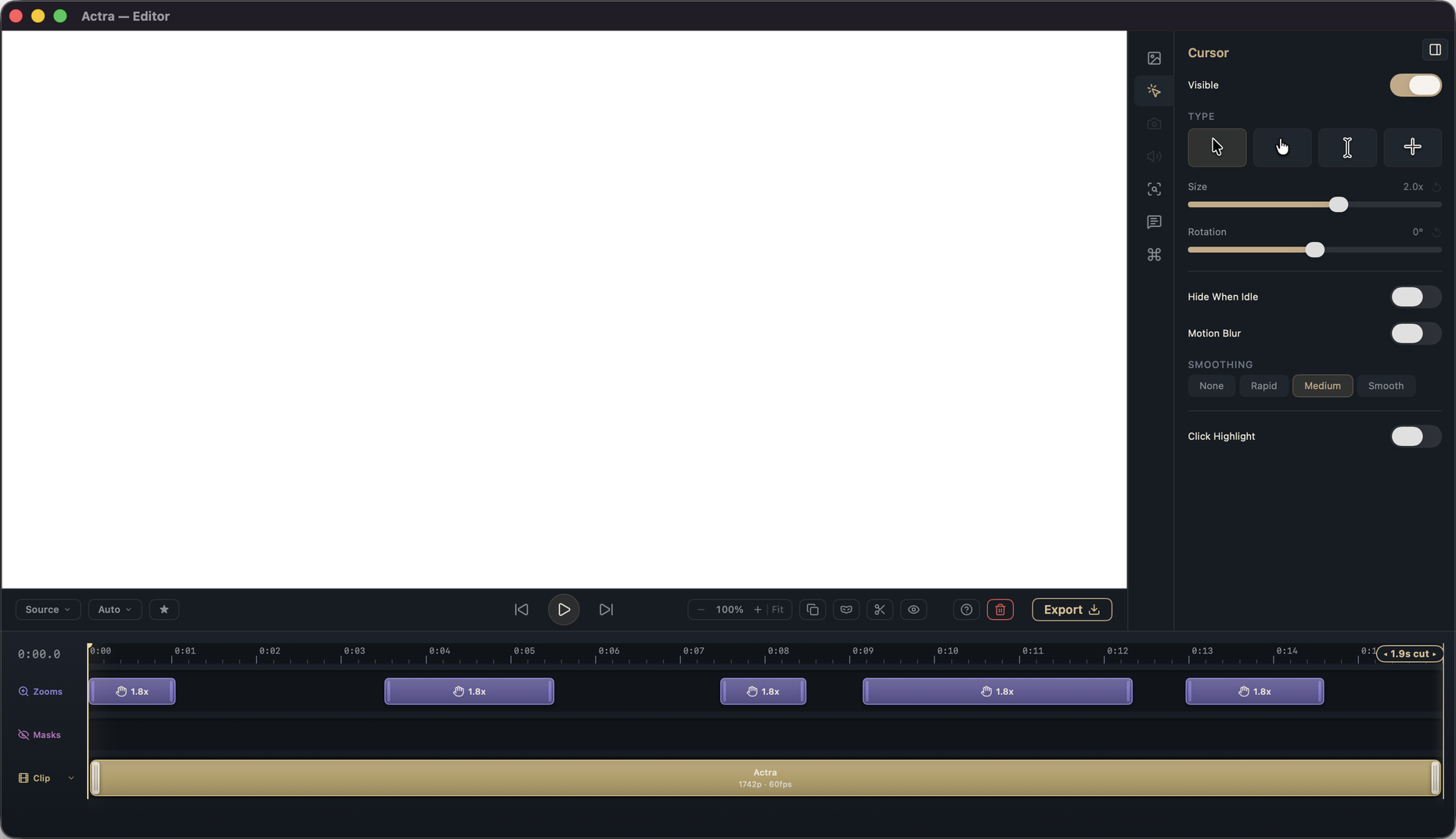
Real cursor paths are shaky. Actra re-flows the motion into smooth, weighted arcs with natural motion blur. It's the detail that separates a screen capture from a product video.
- Jitter and micro-pauses smoothed out
- Motion blur scaled to cursor speed
- Adjustable size, and a polished click effect
Automatic by default. Editable when you want.
Every automatic decision is a normal, editable layer. Adjust zooms, trim, swap backgrounds, tune the cursor, or change nothing at all.
Wrap it in something beautiful.
Drop your recording onto a scenic wallpaper, add padding, shadow and rounded corners. Make it match your brand in two clicks.
Sound and subtitles, handled.
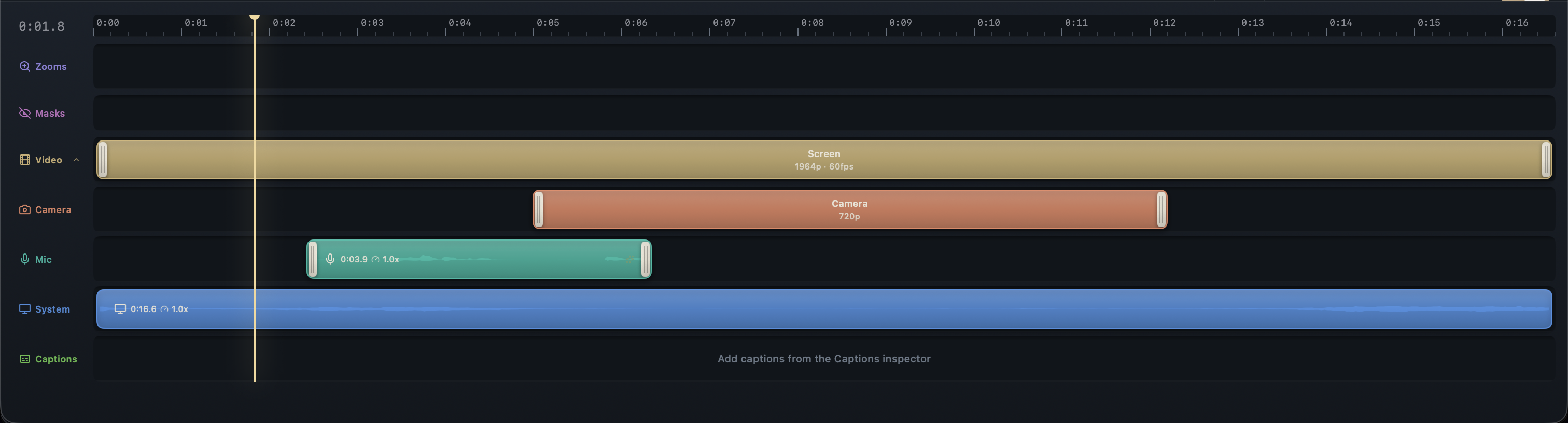
Record mic and system audio on separate tracks, trim each independently, and generate clean captions on-device.
Three steps. Mostly just one.
Record
Pick a window, an area or your whole screen. Capture system audio, your mic, or a webcam.
Actra directs
The moment you stop recording, zooms, cursor smoothing, motion blur and framing are already applied.
Export
Choose where it's going. Edit further to your liking or export directly as video or GIF.
A native Mac app, not a cloud service in disguise.
Many screen recorders are web apps in a desktop wrapper: your recording is uploaded to their servers, processed, and sent back. Actra does all of it on your Mac. Recordings stay where you save them, and nothing is collected about what you record.
No uploads. No account. No tracking.
Pick where it's going.
Every export renders on your Mac, tuned for its destination.
H.264 video
1080p at 60fps, ready for the web, social or docs.
HEVC video
Up to 2160p at 60fps for crisp, high-res exports.
ProRes 422
Full-resolution master for further editing.
ProRes 4444
Transparent background for overlays and compositing.
Animated GIF
Crisp, shareable GIFs for READMEs and chat.
One-time purchase
Buy it once, no subscription. Final price to be announced.
Fully local
Your recordings never leave your Mac.
Native macOS
A real Mac app, fast and at home on your system.
Everything you'd ask before buying.
What do I need to run Actra?
A Mac with Apple Silicon (M1 or later) running macOS 14 (Sonoma) or newer.
Is it really a one-time purchase?
Yes. One payment on the Mac App Store — the final price will be announced closer to launch. Every feature, free updates, no subscription and no account.
Does anything I record get uploaded?
No. Recording, editing, captions and export all happen on your Mac.
What can I record?
Your whole screen, a single window, or a selected area, plus an optional webcam picture-in-picture. You can also record a connected iPhone or iPad.
Can I record system audio and my microphone?
Both, on separate tracks you can trim independently.
How much control do I have over the automatic edits?
Full. Every auto-zoom, the cursor smoothing, and the background are editable: move, resize or delete zooms, add your own, or change nothing.
What can I export?
H.264 or HEVC MP4, ProRes 422/4444 (including a transparent version), and animated GIF.
Do captions work offline, and in which languages?
On-device, with auto-detect plus 14 languages (English US/UK, German, Spanish, French, Italian, Portuguese (BR), Dutch, Swedish, Polish, Turkish, Japanese, Chinese (Simplified), Korean, Russian). The speech model ships inside the app, so captions work from the very first launch. Nothing to download.
Why is Actra such a big download?
Most of it is the on-device speech model that powers captions. It ships inside the app instead of living on a server, so captions work offline from the first launch and your audio never leaves your Mac. We think that's worth the extra megabytes.
Can I record my iPhone or iPad?
Yes: connect your iPhone or iPad over USB and Actra records its screen.
Is there a free trial?
No; it's a one-time purchase on the App Store, covered by Apple's refund policy. Keep an eye out for promo campaigns and special offers on our website and/or social media channels.
Polished demos in minutes.
Beta testers get the polish in early and shape what ships.
Made by an independent Mac developer.